
You hit record, you film something solid, and then… it sits in your camera roll. Sound familiar?
Most people treat a video like a one-time post. Film it, upload it, done. But that same recording can work for you five different ways, on five different platforms – without you having to shoot anything new.
This guide breaks down exactly how to stretch one video into a full week of content. No editing degree needed. No expensive software. Just a smarter way to use what you already have.
Why Repurposing Video Is the Smartest Content Move Right Now
Posting consistently is hard when you’re starting from scratch every time. That’s why repurposing works – you’re not making more content, you’re making more from the content you already made.
Short-form video has taken over how people consume information online.
Platforms reward creators who show up often. But “showing up often” doesn’t mean filming every single day.
One well-recorded video can live on YouTube, Instagram, TikTok, a podcast feed, and a blog – all at the same time. That’s five touchpoints from one recording session. The effort stays the same. The reach multiplies.
What You Need Before You Start
You don’t need a studio or a fancy camera. You just need a few basics in place before you hit record.
- A clear hook in the first 10 seconds – People decide fast. If the opening drags, they’re gone before you get to the good part.
- Decent audio – Viewers will forgive shaky video. They won’t forgive bad sound. Use earbuds with a mic if that’s all you have.
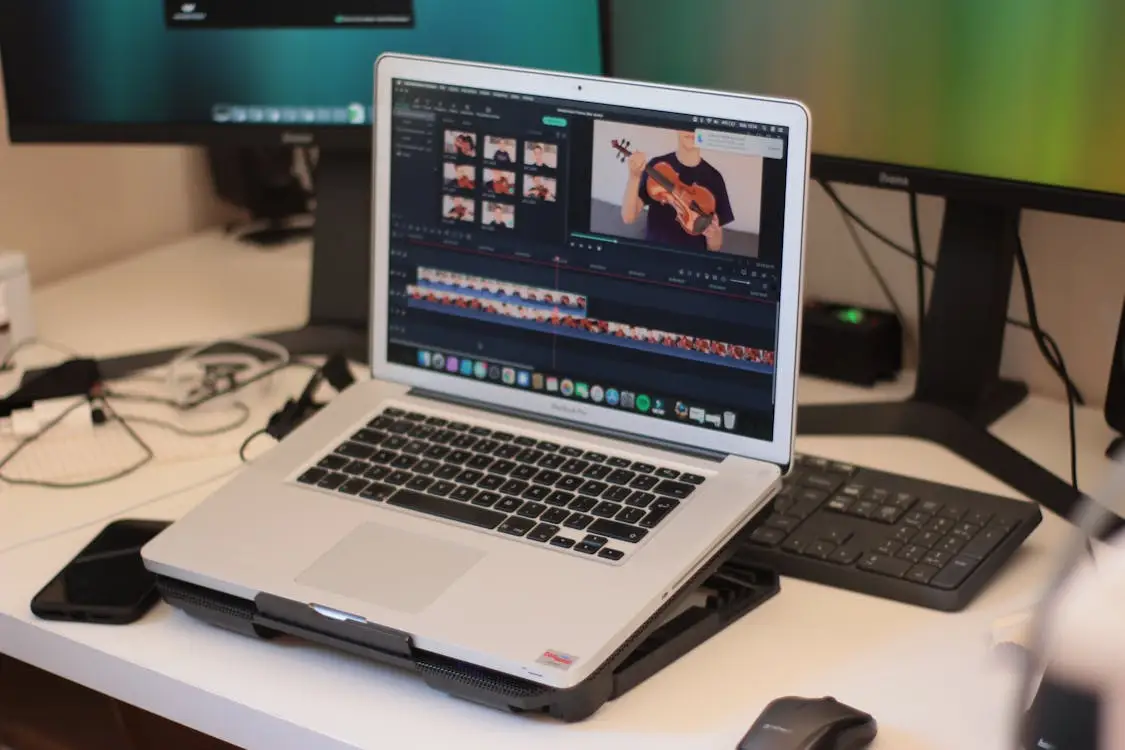
- A simple way to edit – You don’t need to download heavy software. A browser-basedonline video editor is more than enough for trimming clips, cutting dead air, and exporting in different formats.
- One solid topic – Your video should answer one specific question or cover one clear idea. Focused videos are easier to repurpose.
Once these four things are in place, you’re ready to go.
The 5 Ways to Repurpose One Video

Here are five practical ways to take a single recording and turn it into a week’s worth of content.
1. Cut It Into Short Clips for Reels, TikTok, or Shorts
Go through your video and pull out the three to five best moments – a strong opinion, a useful tip, a funny line. Each clip should be between 15 and 60 seconds.
Add captions because most people scroll with the sound off. These short clips can go out across multiple days, so one video fuels your feed for almost a week.
2. Pull the Audio and Turn It Into a Podcast Episode
Strip the audio from your video and upload it to a podcast platform like Spotify or Apple Podcasts. This works best for interview-style videos or anything where the visuals aren’t the main point.
A lot of people prefer listening over watching, so you’re reaching a whole different group with zero extra effort.
3. Screenshot Key Moments for Static Posts
Pause your video on a frame with a strong quote, a useful graphic, or a clear facial expression.
Screenshot it. Pair it with a caption and you’ve got a ready-made post for Instagram, LinkedIn, or X. Do this two or three times per video and you have a mini content bank from one recording.
4. Transcribe It Into a Blog Post or Newsletter
Copy your video transcript – most platforms generate one automatically – and clean it up into a readable article. It won’t be perfect right away, but 70% of the work is already done.
This helps with SEO and puts your content in front of people who prefer reading over watching.
5. Compile Clips Into a Highlight Reel
Take the best moments from multiple videos and stitch them together into one short highlight reel. This is great for testimonials, event recaps, or showing a before-and-after.
If you’re editing on your phone between tasks, theClideo app makes it easy to trim and merge clips without sitting at a desk.
How to Actually Edit Without Losing Hours
Editing doesn’t have to mean spending three hours on a two-minute clip. Keep it simple and focus only on what matters.
- Cut the dead air first – Trim the beginning and end of every clip. Most recordings have 10–15 seconds of nothing useful on each side.
- Add a text overlay with the key message – One line of text telling viewers what they’re about to learn keeps people watching longer.
- Export in the right aspect ratio – 9:16 for Reels and TikTok, 1:1 for feed posts, 16:9 for YouTube. Getting this right means your video looks clean on every platform.
- Don’t over-edit – Cuts, captions, and the right format are all you need. Color grading and fancy transitions are optional extras, not requirements.
Start with just one clip and run through these four steps. Once you do it twice, it takes under 15 minutes.
A Quick Workflow You Can Copy
You don’t need a complicated system. Here’s a simple repeatable workflow that keeps things moving without burning you out.
Two things to keep in mind before you look at the table: this workflow assumes you already have a recorded video ready to go, and each time estimate below is based on a 5–10 minute source video.
|
Step |
Action |
Time Needed |
|---|---|---|
|
1 |
Record one 5–10 min video |
10–15 min |
|
2 |
Upload and trim key sections |
10 min |
|
3 |
Export 3 short clips for social |
5 min |
|
4 |
Screenshot 2–3 strong frames |
2 min |
|
5 |
Paste transcript into a doc and clean it up |
10 min |
Total time: roughly 40 minutes to produce a full week of content.
Note: The times above will get shorter the more you repeat the process. By the third or fourth video, most people cut the total time down to under 30 minutes.
Final Thoughts
One video is never just one piece of content – not when you know what to do with it.
The people who seem to post everywhere, all the time, aren’t filming around the clock. They figured out how to make one good recording do five different jobs. That’s the whole trick.
You don’t need to overhaul how you work. Just change what happens after you hit stop.
Take the next video you record and run it through even two or three of the steps above. The results will speak for themselves.
Start small. Stay consistent. Let the content you already have work a little harder for you.